- DATE:
- AUTHOR:
- The Balance team

Product Updates: August 2026
This month, we added new controls for screening fraud, more visibility and control across your dashboard, and more transparency and self-service for your buyers.
Let's dive in.
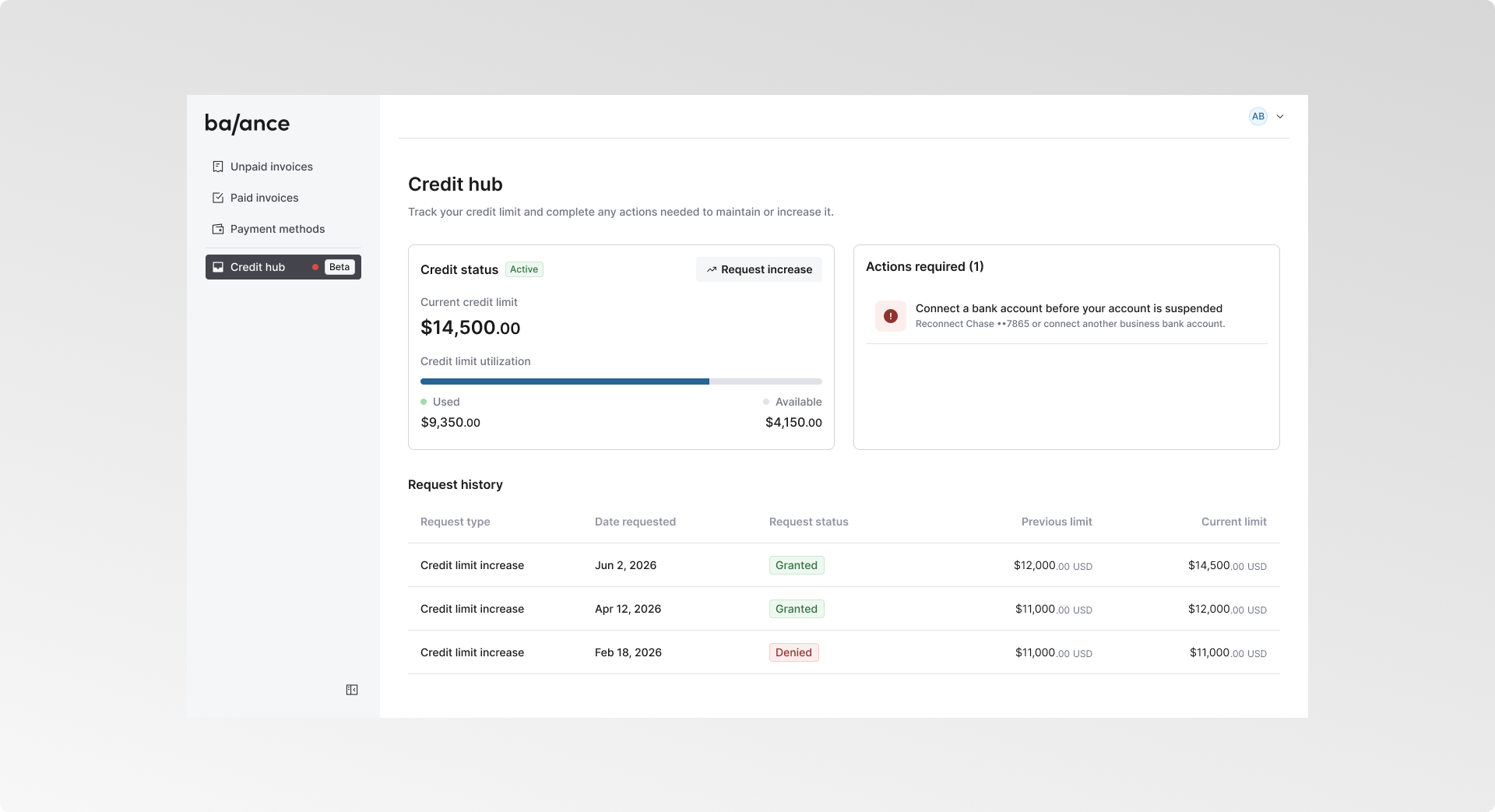
Help Buyers Track Their Credit Limit Increase Requests
Buyers can now track their credit limit increase requests directly in Credit Hub, in the Buyer Portal. Each request shows its status and how the limit changed, from the original amount to the new one. This gives buyers a clear, self-serve view of their credit activity, so they always know where a request stands and exactly what was approved, with no surprises at checkout.
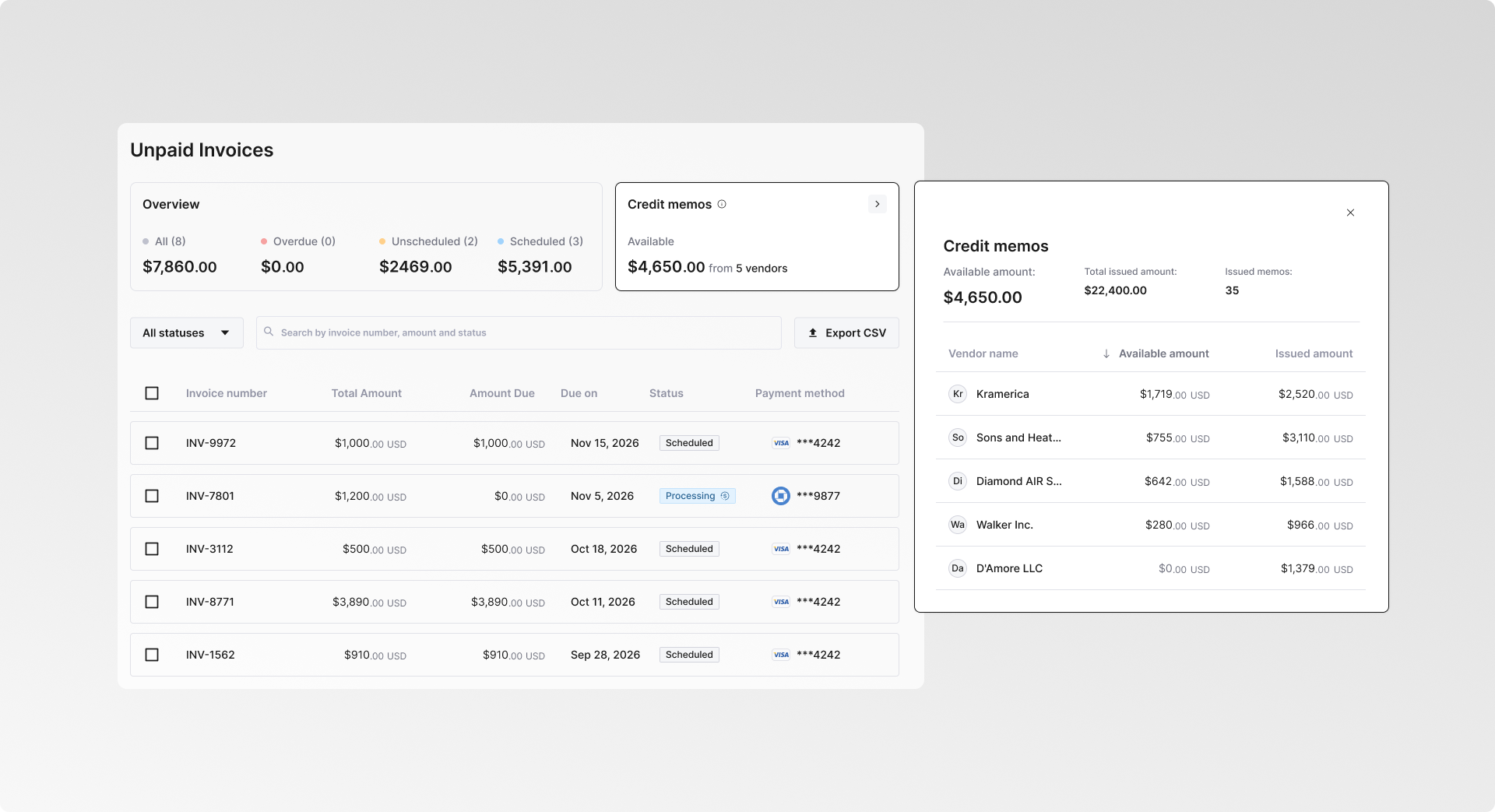
Help Buyers Find and Apply the Credit They Already Have
Buyers can now see a full breakdown of their credit memos in the Buyer Portal. They can see how much credit is available, how it has been used, and which vendors it applies to, so the credit sitting in their account is easy to find and apply toward a purchase.
Test Your Fraud Rules on Past Transactions
Sentinel, Balance’s fraud rules engine, now lets you test a rule against past transactions before turning it on. See how often the rule matched the actual outcome - flagging potentially fraudulent transactions while clearing successful ones. Adjust the rule and test again until the match rate is where you want it, so you know how it will behave before it touches a live payment.
Sentinel is rolling out gradually. Interested in enabling it? Contact your account manager to get access.

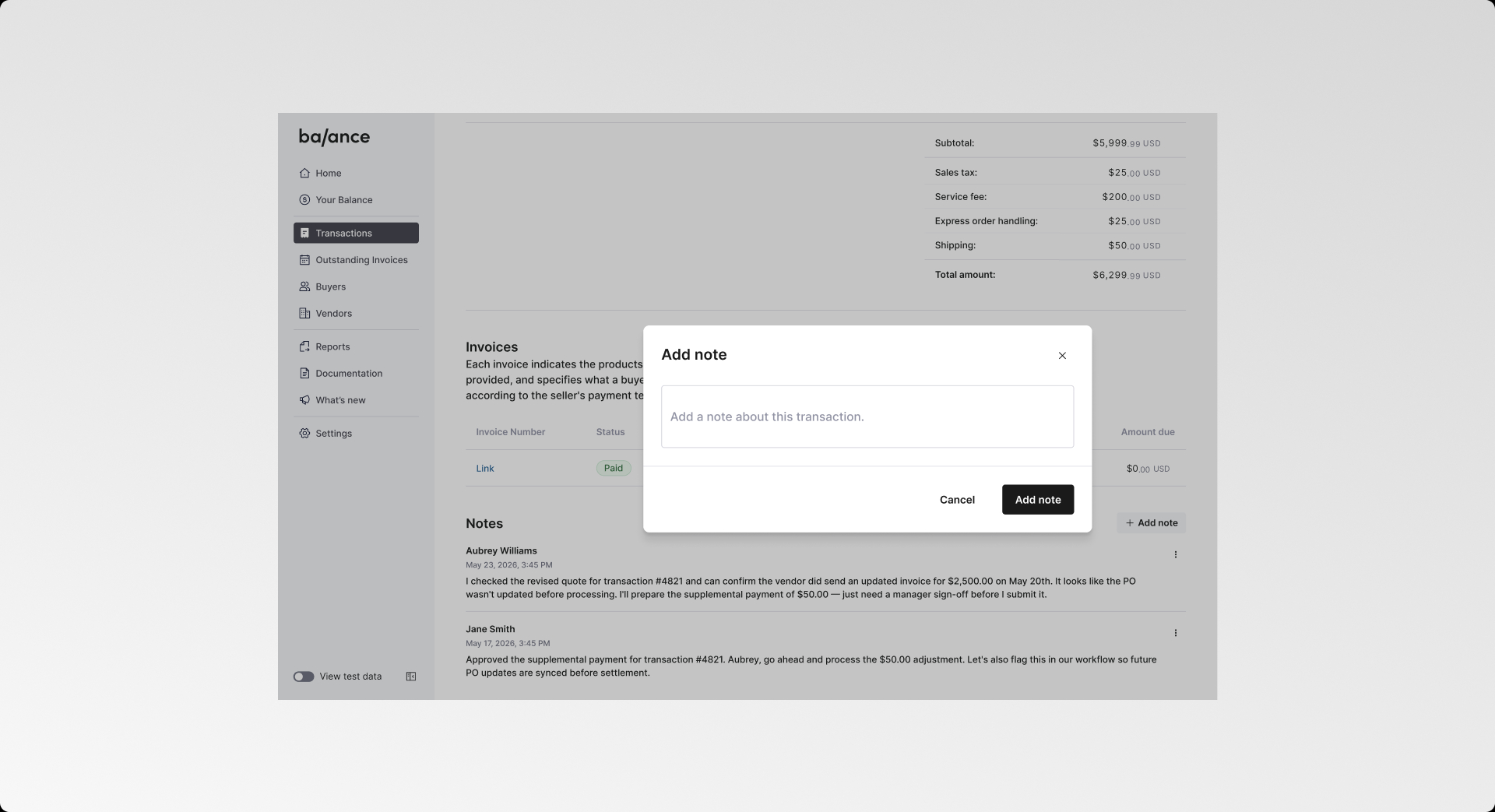
Collaborate on Transaction and Sentinel Reviews in the Dashboard
Add notes to any transaction or Sentinel review so the thinking behind a decision lives with the record, not in a separate thread. Capture a quote change, an approval, or a follow-up. Every note is timestamped. Anyone on your team can pick up where the last person left off, with the full context in front of them.
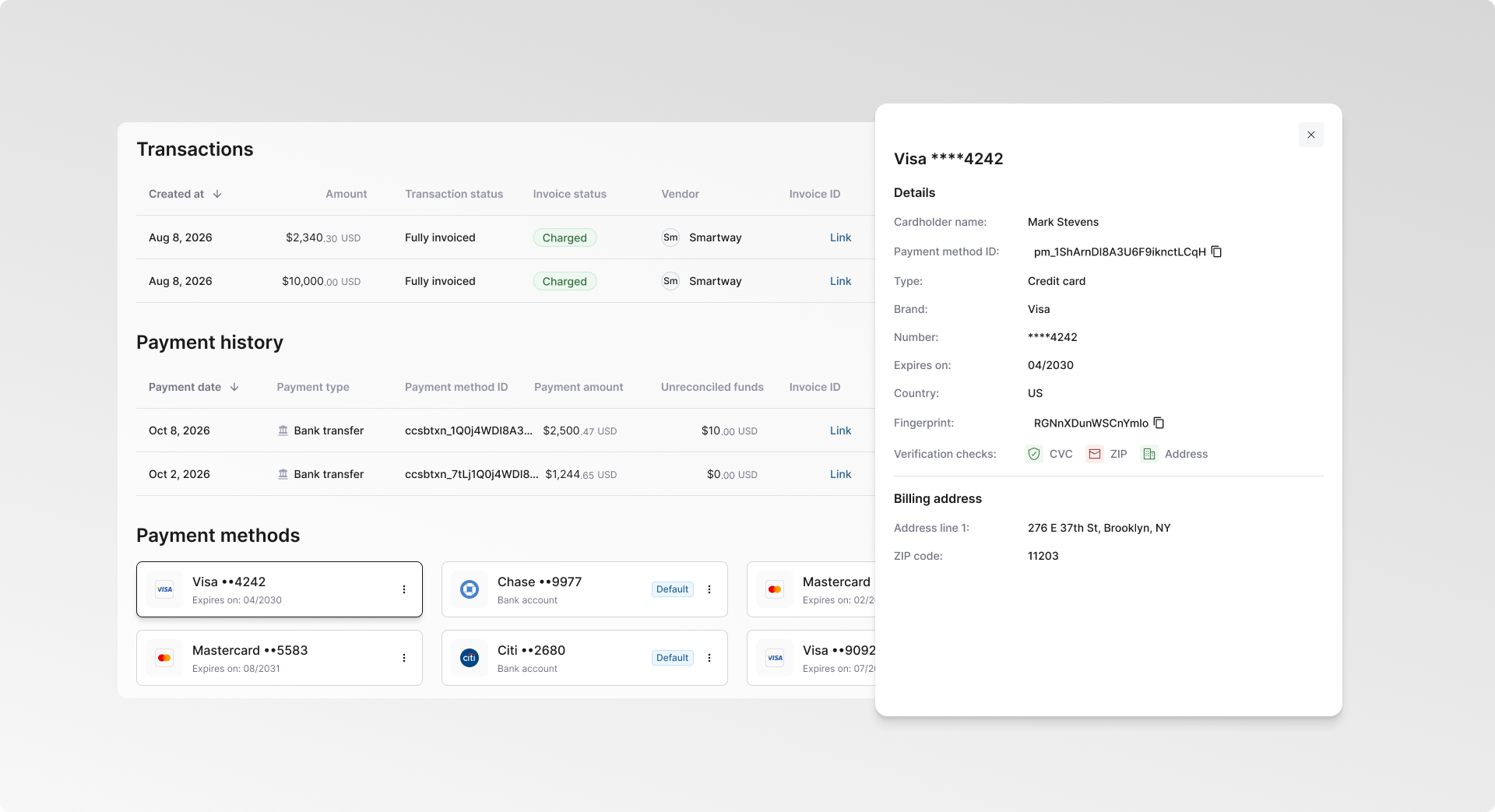
Get More Visibility Into Every Buyer's Payment Methods
Balance now gives you a dedicated view of each buyer's payment methods, with full detail on every card and bank account on file. On a buyer's page in your dashboard, scroll to the payment methods section and click any card or bank account to see the cardholder name, card type and expiration date, billing address, verification checks such as CVC and address match, and Sentinel's risk signals. When a transaction looks off, or a buyer disputes a charge, you can check these details yourself instead of asking Balance or the buyer.
Get More Buyers Through Checkout with Early Card Authentication
Balance can now handle 3D Secure (3DS) identity checks earlier, when a buyer first adds a card as a payment method, so the card is verified up front. That means more buyers clear checkout without a 3DS challenge and complete their purchase on the first attempt.
Card authentication at add-a-payment-method is in early access. Interested? Contact your account manager.
Faster, Easier Vendor Onboarding
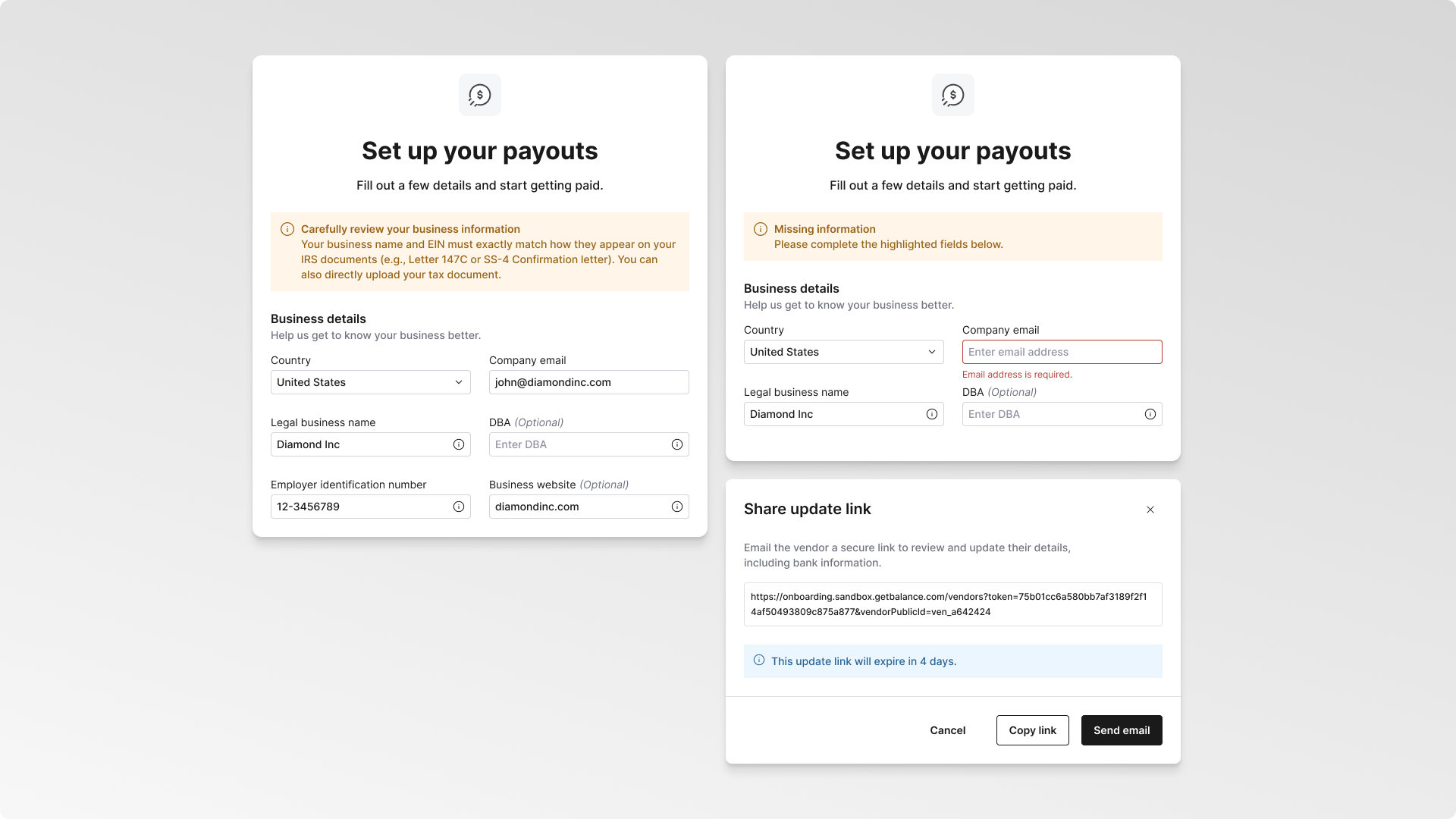
The vendor onboarding experience just got better with new in-form guidance. When a vendor fills out their onboarding form, it flags exactly which information is required and how to provide it correctly, down to matching their tax details to their IRS documents, so that they can complete it right the first time.
If a vendor's details are incomplete or need updating, you can see exactly what's missing and email them a secure link to review and update their information, including bank details. You're notified as soon as they do, so you always know the vendor is moving forward.
Give Buyers Greater Clarity on Declined Applications
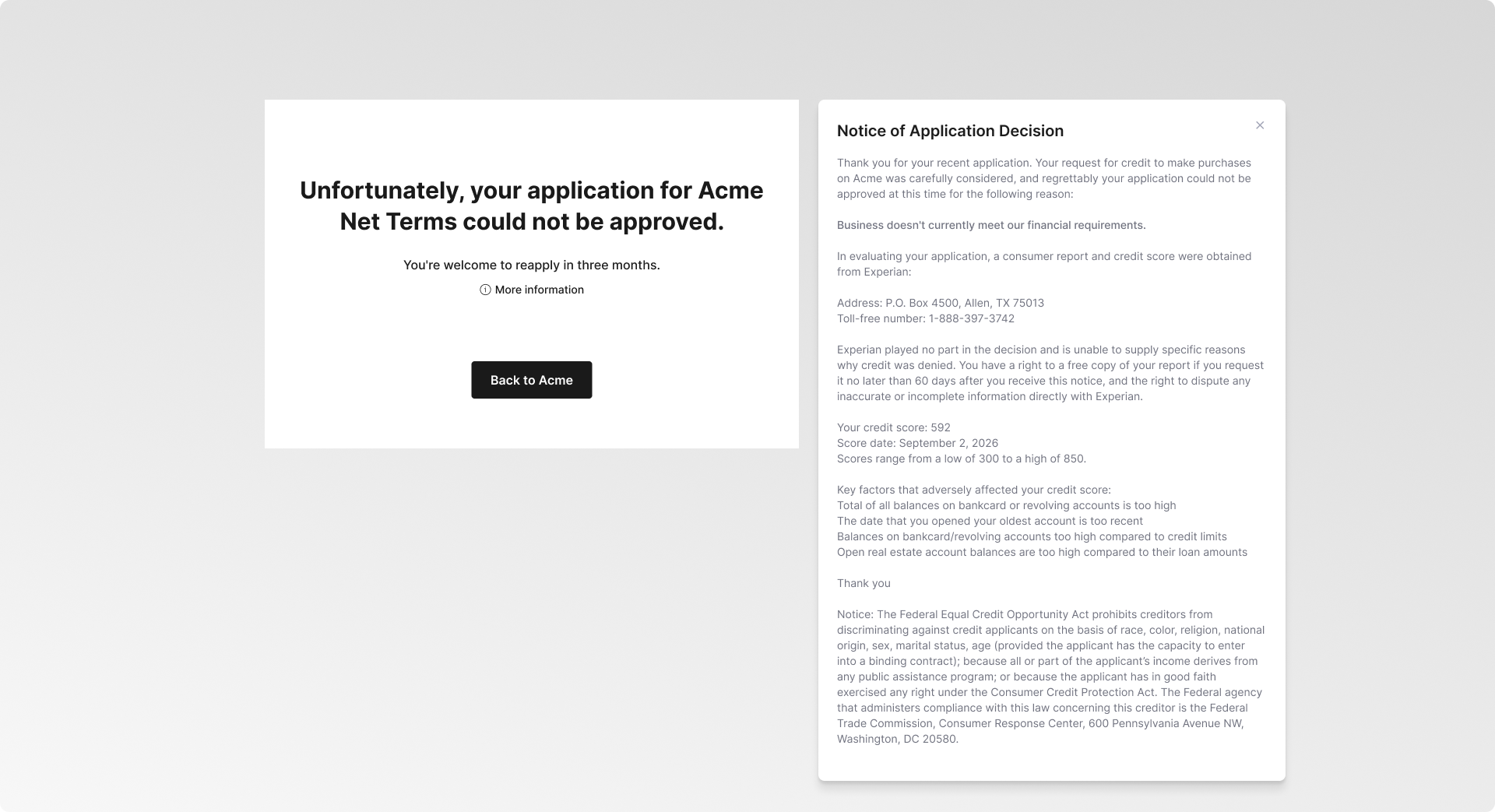
When an application isn't approved, buyers now see the official reason directly at the end of the qualification flow, along with the disclosures they're entitled to, including the credit report used in the decision and their rights. Balance sends the same information as a PDF by email, so buyers have a record to keep or share. This is now in place for declined applications.
ADDITIONAL ENHANCEMENTS
Custom Fields Search & Filter in the Buyer Portal
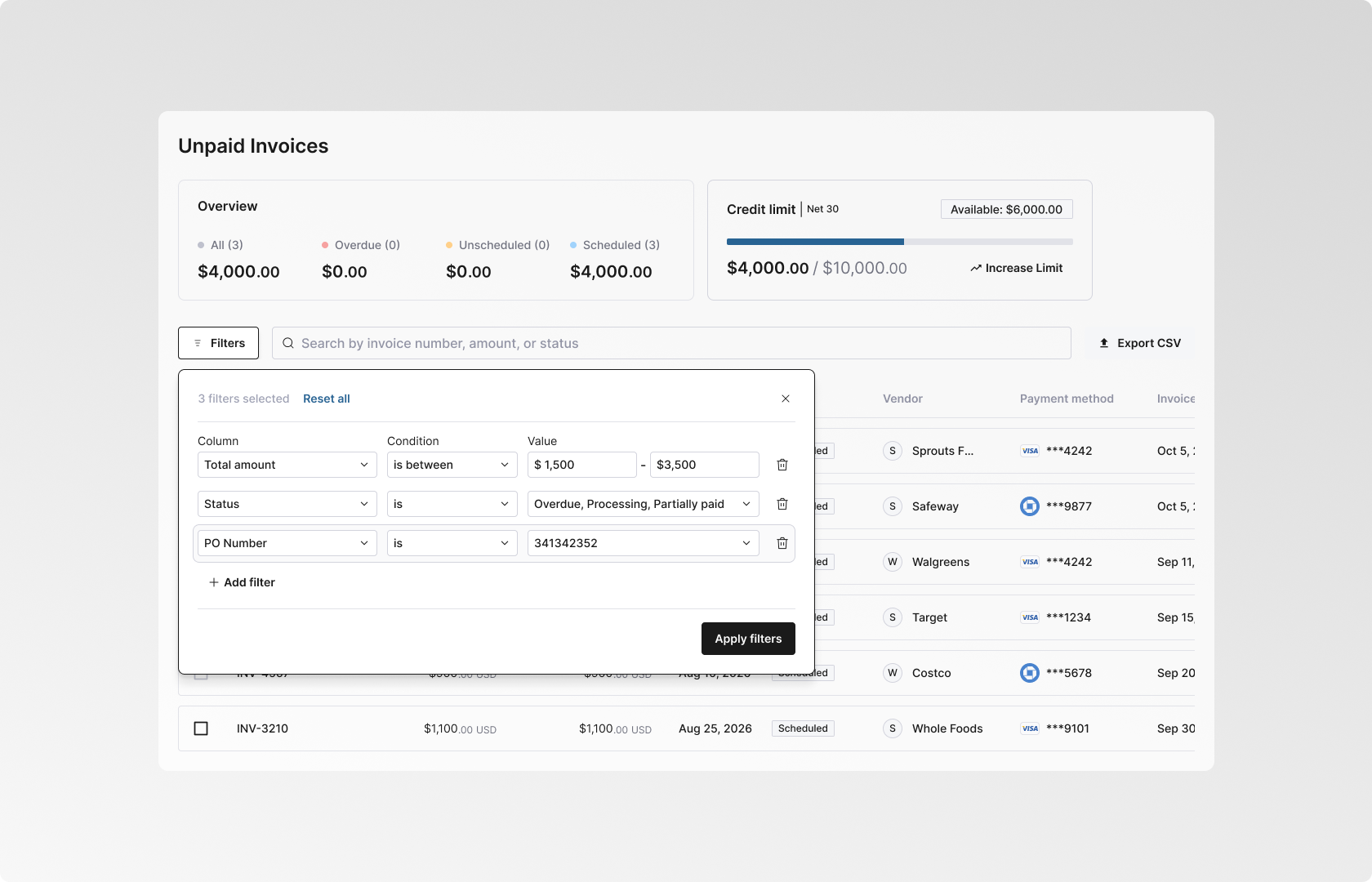
Buyers can now search and filter their invoices by custom fields across both the open and paid invoice tabs, so they can find invoices by the references they use internally.
Custom Dispute Reasons
Add your own dispute reasons to the dispute flow, so the categories match how your business classifies disputes.
Filters for Partially-Financed Invoices & Transactions
Some invoices are financed only in part, with Balance funding one portion and the rest settles separately. You can now filter the dashboard to just those split records, so your finance team can pull them up in one place and confirm each portion was funded and paid as expected.